Alert texts and calls
JKP Software monitors and maintains servers and systems for its account holders. When one of them has a critical problem, JKP Software texts the account holder's staff who look after it, and if nobody acknowledges, follows up with an automated phone call. JKP Software also uses these alerts internally and to develop and test the alerting. Alerts are never marketing.
How people opt in
Alerts go only to numbers people enter or confirm themselves, and texts only to people who tick the consent box. A signed-in account holder opens Phone alerts in their JKP Software account dashboard, enters their own mobile number, ticks the unchecked consent checkbox (its label carries the full disclosure), and saves. Opting in is optional and not required to use the service:
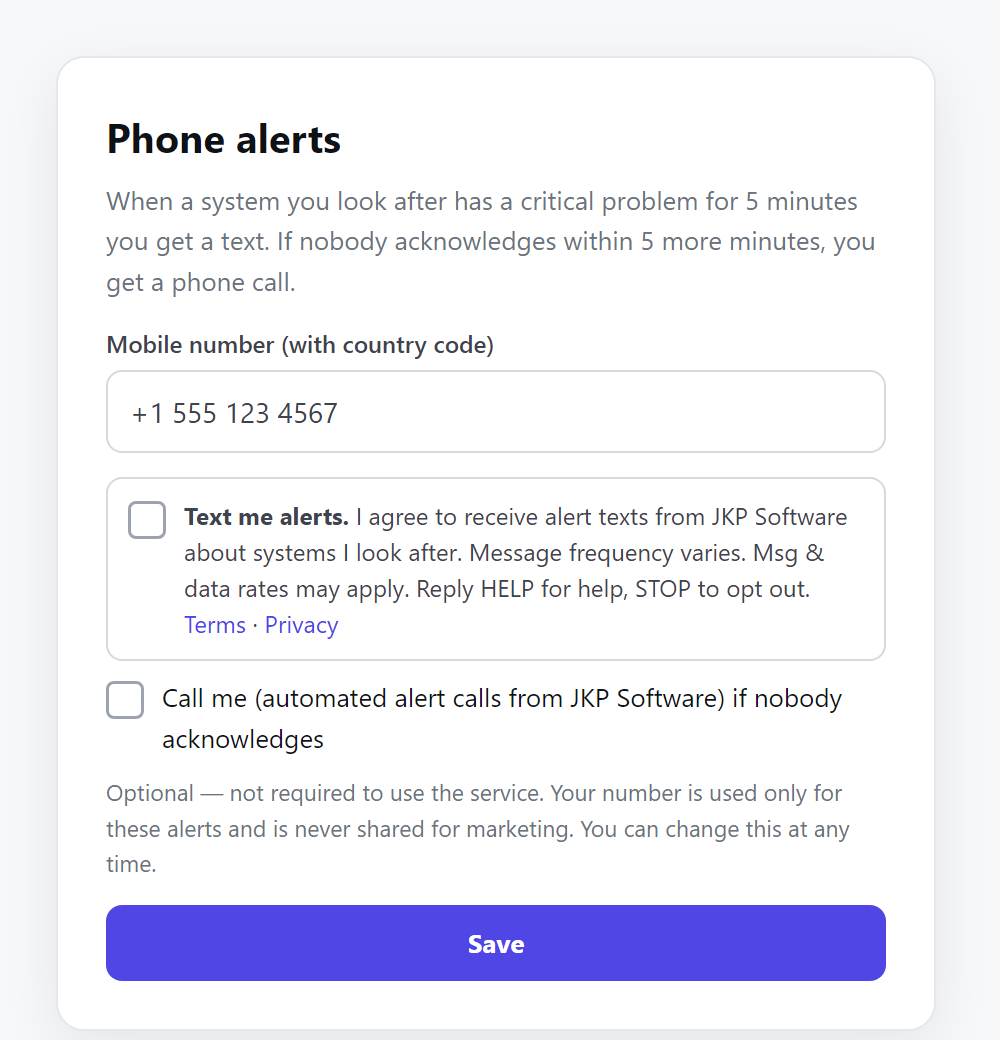
- The account holder signs in to their JKP Software account dashboard and opens Phone alerts.
- They enter their own mobile number and tick the unchecked consent box, whose label states the purpose, frequency, rates, HELP and STOP, with links to the Terms and Privacy Policy.
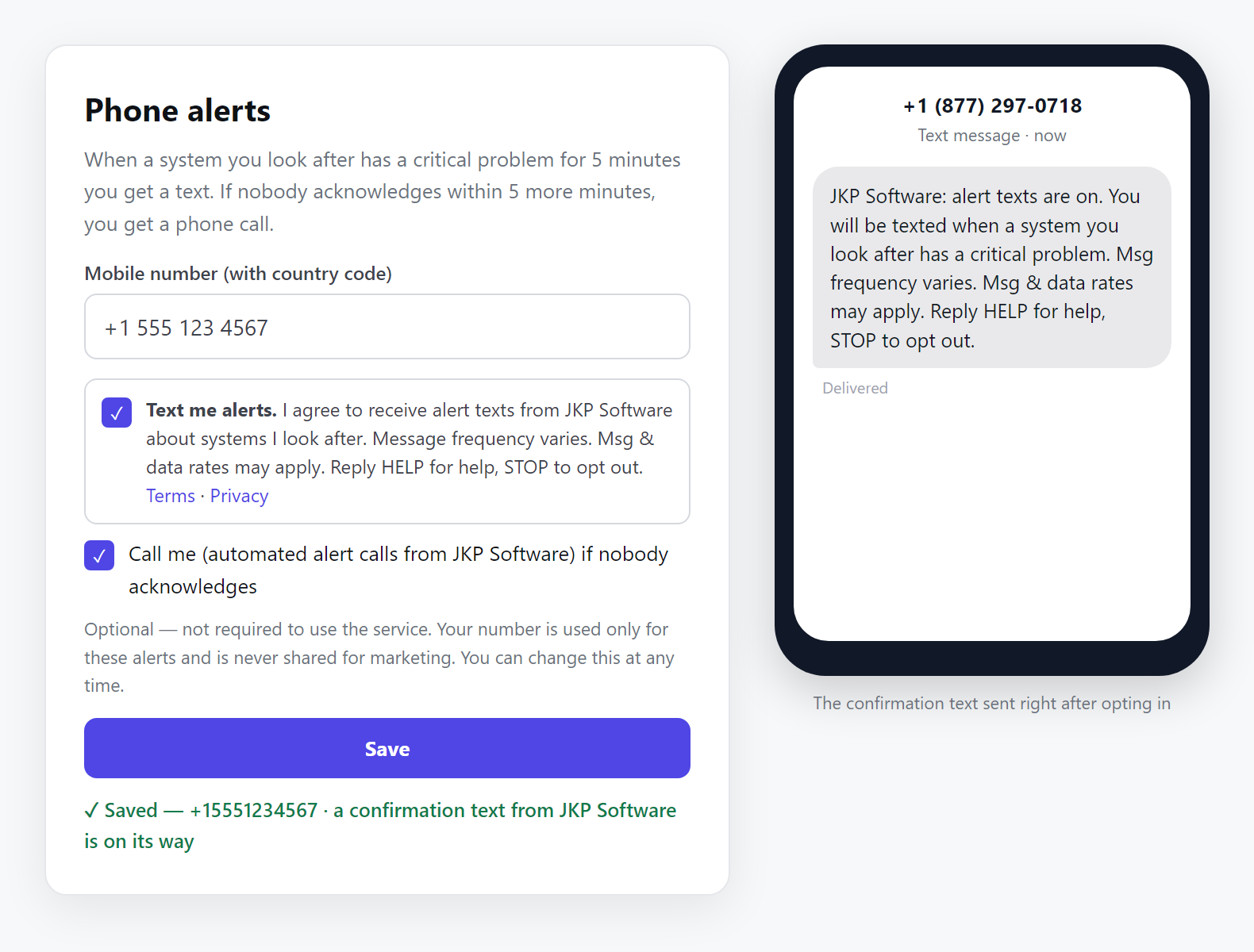
- They click Save. The time, source and exact wording of their consent are recorded.
- They immediately receive a confirmation text: "JKP Software: alert texts are on. You will be texted when a system you look after has a critical problem. Msg frequency varies. Msg & data rates may apply. Reply HELP for help, STOP to opt out."
- They can untick the box at any time, or reply STOP to any text.
Example messages
JKP Software ALERT: val-01 - Node stopped reporting. Open 5 min. Acknowledge: https://jkpsoftware.com/a/… Reply STOP to opt out.
JKP Software RESOLVED: val-01 - Node stopped reporting has cleared (open 12 min).
Programme details
- Message frequency varies — typically a few messages a month, none while systems are healthy.
- Message and data rates may apply.
- Reply STOP to opt out, START to resume, HELP for help.
- Carriers are not liable for delayed or undelivered messages.
- Mobile numbers and opt-in data are never shared with third parties for marketing.